Analytics & reachPremium
Custom & Short Domains
Serve your page from a short domain thugg owns, or from a domain you own yourself.
On this page
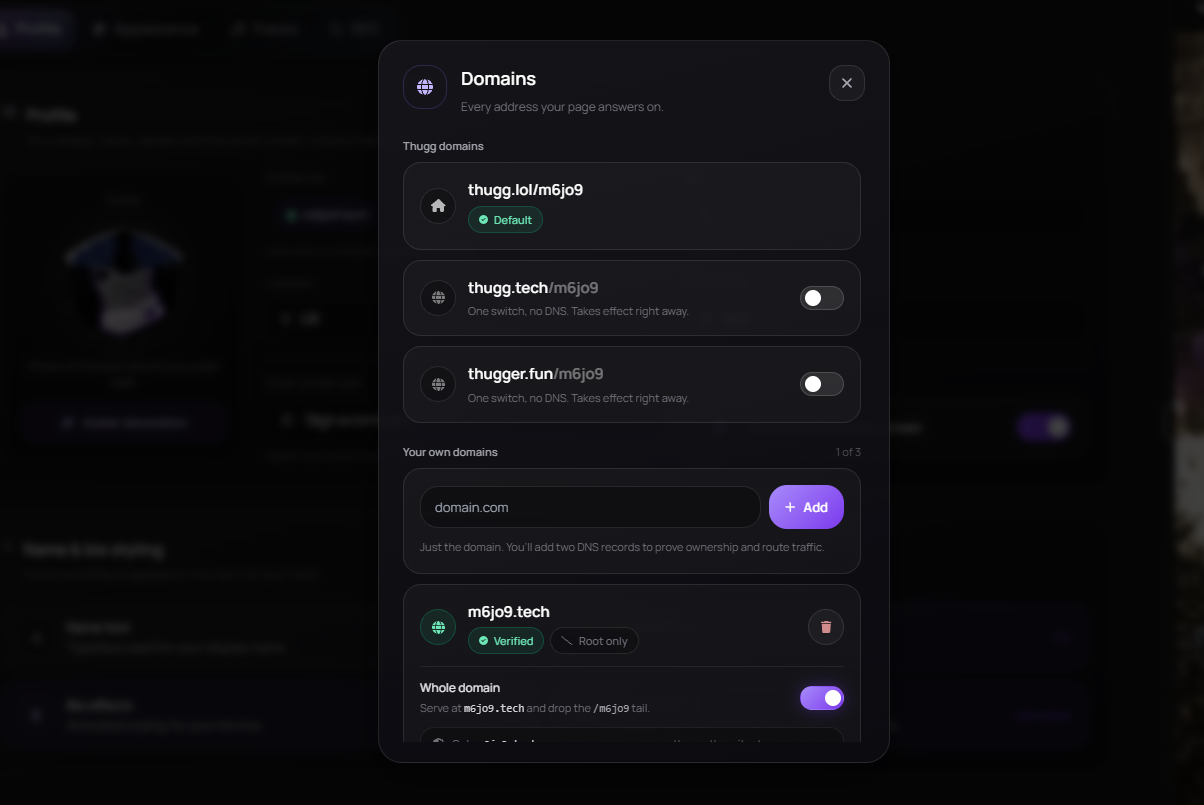
Your page always lives at thugg.lol/your-username. On top of that you can put it on a short domain thugg owns, or on a domain you own yourself.
Short or custom
| Short domain | Custom domain | |
|---|---|---|
| Address | thugg.tech/you or thugger.fun/you | Any hostname you own |
| Price | Included with Premium | $6.99 once, or included with Creator |
| Setup | One switch | Two DNS records and a verify |
| How many | Both at once | Up to 3 |
| Bare domain | — |
Short domains
Premium accounts can serve their page from a short domain thugg owns. There is no DNS and nothing to verify; you flip a switch and the address is live.
- Turn on thugg.tech or thugger.fun in Customize → Profile → Domains, or Account → Domains — both are yours to use at once.
- The handle is always your username and belongs to whoever turns it on first; you cannot pick a different word.
- Turn the switch off and the handle is free again. If your Premium lapses the address stops serving and visitors are sent to your thugg.lol page instead.
Custom domains
The Custom Domains add-on serves your page from a domain you already own — $6.99 one-time, up to 3 domains.
- Open Account → Domains and enter your hostname.
- Add both DNS records below at your registrar.
- Click Verify — propagation usually takes minutes, occasionally an hour.
DNS records
CNAME  links.example.com                cname.thugg.lol
TXT    _thugg-verify.links.example.com  the token in your dashboard
Some registrars append the domain for you. If your panel already shows links.example.com, enter only the links part as the name.
Dropping the /username tail
A verified custom domain answers at domain.com/username. Turn on Whole domain and it answers at domain.com alone, with no path at all — turn it back off at any time and the change takes effect within a minute.
Short domains are shared by everyone on them, so they always keep your username in the address — there is no whole-domain switch for them.
Security by design
On a custom or short domain only your own page is reachable — every other path returns 404 on purpose, whether you serve it at /username or at the bare domain. This keeps a hijacked or expired domain from exposing anything else.
Still need a hand?
Open a ticket with this page attached, or ask the community on Discord.