Design your page
PremiumLayout Editor
Position every element on your card with the drag-and-drop editor.
Free accounts choose from card layout presets. Premium unlocks the Layout Editor — a canvas where you place every element yourself.
Layout presets
- Floating — the default, avatar above a centred card.
- Stacked — avatar and name aligned left.
- Compact — avatar beside your name, tighter card.
The Layout Editor
Open Customize → Layout Editor. Drag any element to move it, and resize the card within the allowed bounds.
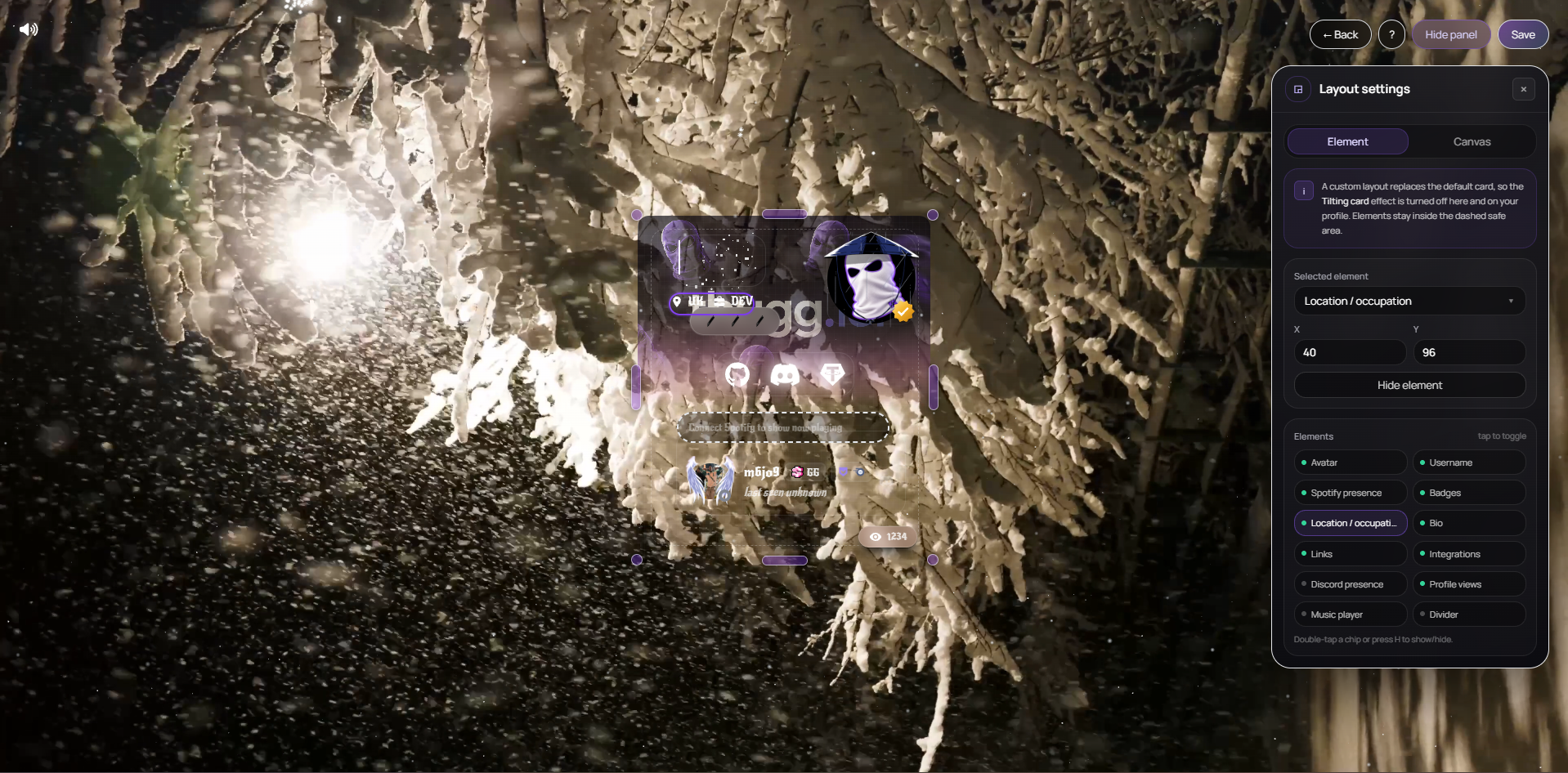
- Movable — avatar, username, badges, location and occupation, bio, links, integrations, profile views, music player and dividers.
- Changes preview live against your real background.
- Save when you are happy; discard to fall back to your last saved layout.
Tips
- Leave breathing room around your links — they are what people tap.
- Check the result on a phone; most of your traffic is mobile.
- The verification check follows your avatar automatically.
This did not solve it?
Open a ticket with Layout Editor already attached, or ask in Discord where someone is usually awake.