Design your page
Profile Effects
Every background and cursor effect — free and Premium — and where to switch them on.
Effects add motion to your page. Turn them on in Customize → Appearance → Effects, mix them as you like, and switch any of them off at any time.
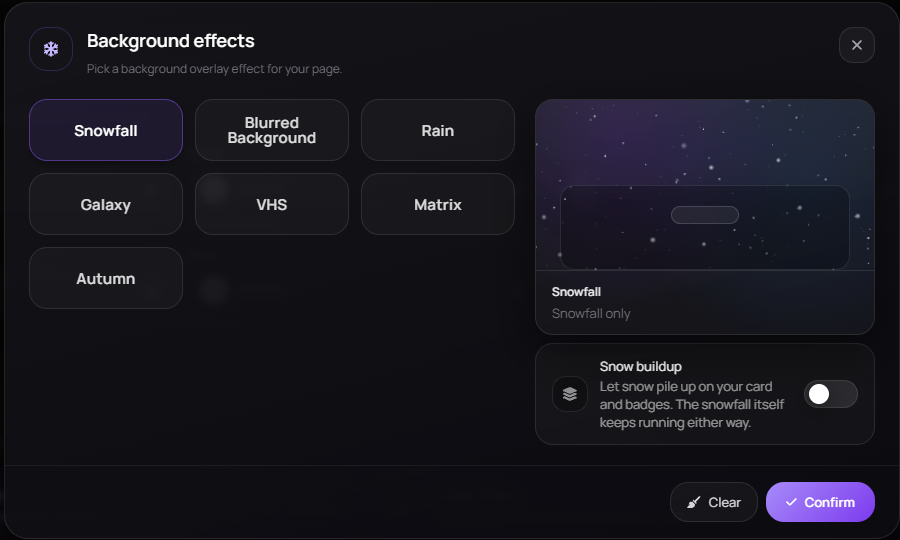
Background effects
One background effect runs at a time.
- Free — Snowflakes, Blurred Background and Rain.
- Premium — Galaxy (a deep starfield with drifting nebula), VHS (analog scanlines, static and timecode), Matrix (falling green code rain) and Autumn (birch branches sway overhead, leaves drift down and pile up — sweep the cursor through the pile to scatter them).
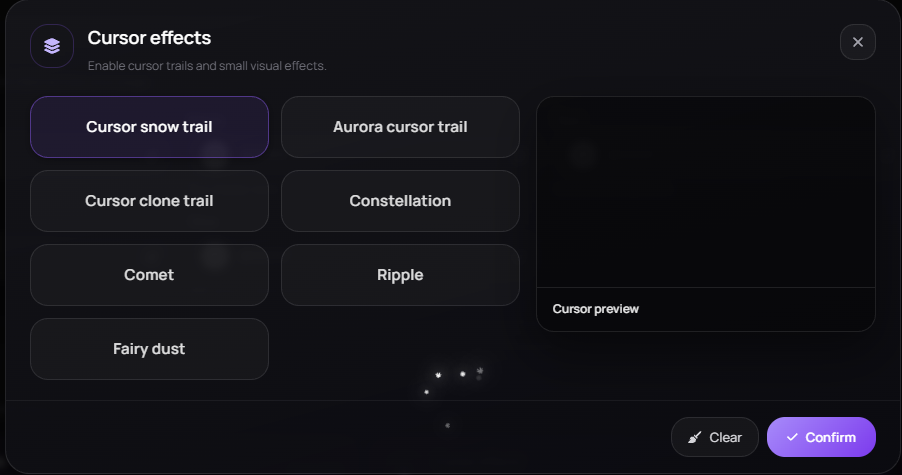
Cursor effects
- Free — Snow trail and Aurora trail.
- Premium — Clone trail, Constellation, Comet, Ripple and Fairy.
Custom cursor image
Upload any image to replace the pointer on your page. Keep it small — an oversized cursor makes your links hard to hit.
Effects on your name
Your username has its own fonts and effects, kept separate from the page effects above — see Username Fonts & Effects.
Performance
Effects run in the visitor's browser. Stacking a heavy background effect with a cursor trail can feel slow on older phones — test your page on one before settling.
This did not solve it?
Open a ticket with Profile Effects already attached, or ask in Discord where someone is usually awake.